Purchase order tracking software: what a field team needs
Purchase order tracking software for retail field teams must organize shipments around physical store numbers and scheduled set dates rather than corporate accounting approvals. While generic procurement suites focus on internal budgets and three-way invoice matching, field teams need multi-vendor PO status, backward-scheduled ship-by deadlines, automated tracking reminders, and clear exception flags before merchandising crews travel.
Key facts
- ProcurementExpress plans start at $415 per month for Basic single-organization budget and PO tracking, scaling to $900 and $2,550 per month before custom Enterprise NetSuite plans (checked 2026-11-23). Source: procurementexpress.com
- Cin7 Core inventory and purchase order plans start at $349 per month for 5 users and 6,000 annual sales orders, with Pro at $599 and Advanced at $1,199 per month (checked 2026-11-23). Source: cin7.com
- Retail routing guides commonly run 60 to 200 pages and penalize late Advance Ship Notices or missed delivery appointments with automated chargebacks. Source: spscommerce.com
- Microsoft Graph Mail.Read application permissions can be scoped via Exchange application access policies to restrict read-only access to specific logistics mailboxes. Source: learn.microsoft.com
On this page
Why standard purchase order software misses retail field teams
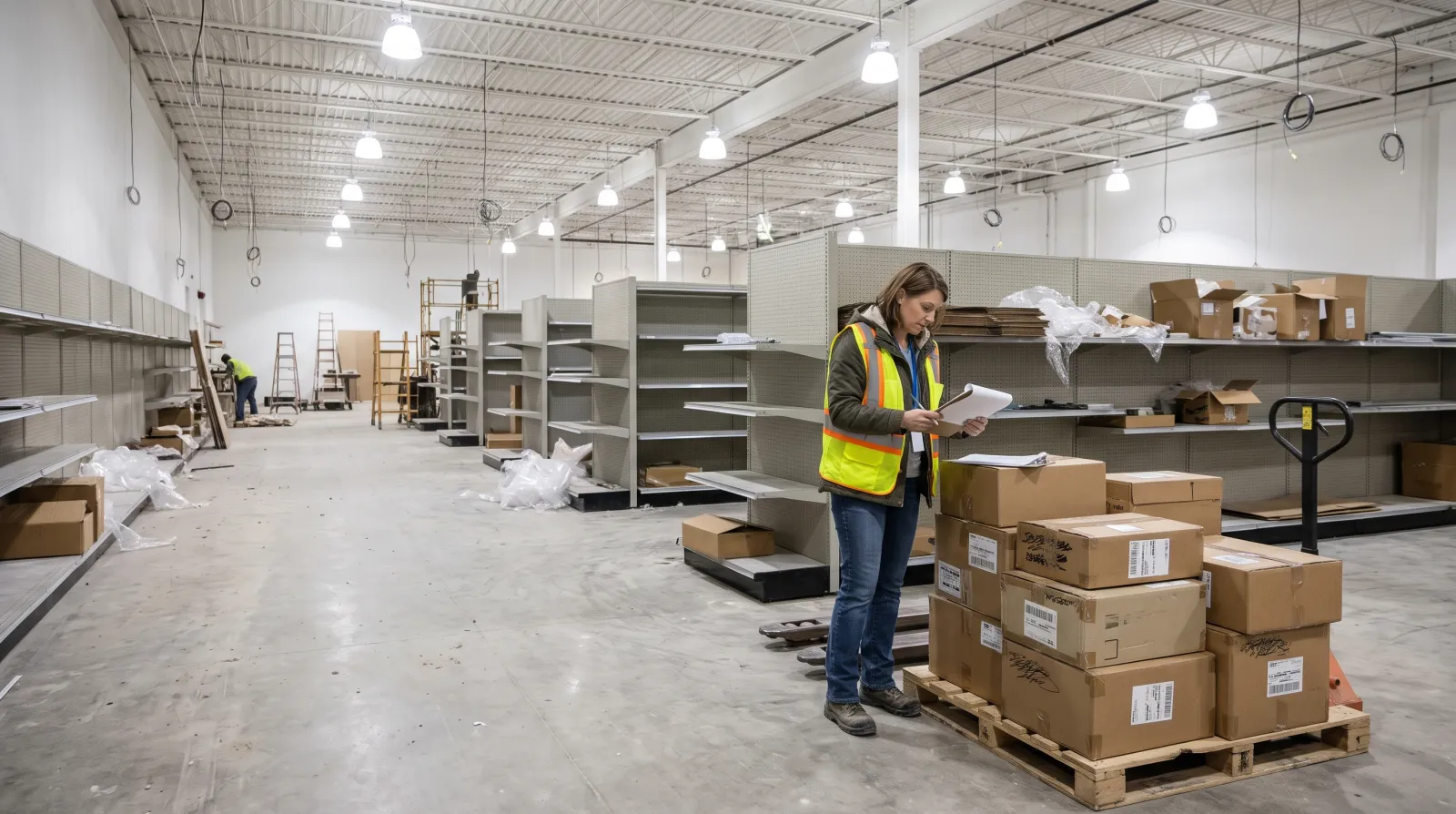
Most commercial purchase order tracking software is built for an internal finance or warehouse buyer, not a field merchandising team coordinating a store opening or seasonal reset. Within our broader new-store set operations guide, PO tracking sits at the center of physical readiness: if vendor freight misses the back door, the field team cannot build the bay.
In a typical corporate procurement flow, one company creates a PO, routes it through internal budget approval, emails a supplier, and matches the vendor invoice against a warehouse receiving slip. Platforms like ProcurementExpress (starting at $415 per month on its Basic plan for single-organization spend control, checked 2026-11-23) excel at budget compliance and QuickBooks or NetSuite approvals. Inventory systems like Cin7 (starting at $349 per month for 5 users and 6,000 annual orders, checked 2026-11-23) excel at managing one merchant’s warehouse stock and multi-channel fulfillment.
A field-service agency or retail program manager operates under opposite constraints:
- You do not issue the POs. The retailer or distributor issues purchase orders to 20 to 50 independent brands, and your team needs status across all of them.
- Receiving happens at remote store docks, not your warehouse. Freight travels LTL or parcel directly to newly constructed stores or cross-docks where your crew travels for a 2- to 5-day set window.
- Accounting matching is irrelevant; arrival timing is everything. Whether a vendor invoice matches a ledger line matters far less on set week than knowing whether Pallet 2 of 2 left the vendor’s dock 14 days before your reps land at the airport.
Five requirements for field-team purchase order tracking
When evaluating software or building an internal workflow for new-store sets and resets, field operations leaders should verify five non-negotiable capabilities.
1. A store-first and set-date data model
Every record must anchor to a store number, a scheduled set date, and a vendor assignment. When POs sit in a flat vendor-by-vendor list, coordinators cannot tell which store opening is exposed when one manufacturer delays a batch of display hardware. A store-first grid lets a lead filter by Store #204 and confirm immediately that 28 of 30 assigned vendors have active tracking numbers delivered on site.
2. Backward-scheduled ship-by windows
Generic tools track a single “expected delivery date” typed manually by a buyer. Field teams need an automatic ship-by deadline anchored to the physical set calendar—typically set date minus 14 calendar days, paired with our new-store set checklist. That countdown creates an actionable trigger two full weeks before crews mobilize, leaving room to expedite late freight or adjust travel schedules.
3. Automated exception flags over status dashboards
Green status bars waste coordinator time. Field teams need software that suppresses compliant rows and surfaces four specific failures:
- Missing PO: An assigned vendor-store line has no PO number logged past the order cutoff.
- Missing tracking: The ship-by date has arrived with no carrier PRO or parcel number recorded.
- Due date after set date: A vendor’s promised arrival falls on or after the day merchandisers are scheduled on the floor.
- Ship date outside window: Freight left too late to clear standard LTL transit before setup begins.
4. Zero-login vendor update ingestion
Expecting 40 outside vendors to create accounts and type tracking numbers into a third-party portal rarely works. Vendors already juggle retailer portals and EDI systems—as SPS Commerce’s routing guide overview notes, compliance rules alone span 60 to 200 pages per retailer. Field trackers should capture updates from emailed confirmations, uploaded CSV/XLSX sheets, or structured reply parsing with a human review queue, as covered in reading PO emails into a tracker.
5. Scoped email security and audit history
If an automated tool eventually connects to a shared Microsoft 365 logistics inbox, IT teams require least-privilege boundaries. Microsoft Learn’s Graph permissions reference documents how Mail.Read application permissions can be paired with Exchange application access policies to isolate a single logistics mailbox. Until direct mailbox connectors are approved, upload-based workflows keep email security simple while maintaining a timestamped log of every PO and tracking update.
Spreadsheets vs ERP suites vs store-first trackers
Most teams begin in Excel and Outlook, briefly test an ERP or accounting add-on, and then realize why neither fits multi-vendor store rollouts cleanly. The comparison table in the summary above breaks down the structural differences across all three approaches.
Spreadsheets cost zero dollars in software licensing and work well when a program covers 3 stores and 5 vendors. Once a program scales to 15+ stores per quarter, copy-paste errors, overwritten ship dates, and missed email replies turn into expensive second trips when reps arrive at empty receiving bays.
Commercial procurement and inventory systems like ProcurementExpress or Cin7 solve internal spend control and warehouse stock accuracy for single businesses, yet their data models do not revolve around external vendors shipping to third-party retail store openings. Purpose-built field tracking fills that gap by focusing strictly on store readiness, carrier tracking capture, and automated vendor follow-up.
What does purchase order tracking software cost across categories?
Published pricing for purchase order tracking software varies widely because vendors package the category around either internal spend approvals, warehouse inventory management, or lightweight field coordination. Reviewing starting tiers side by side helps program managers avoid paying for accounting modules their field team will never use:
| Platform / Category | Published Starting Tier (checked 2026-11-23) | Primary Design Focus | Limitation for Retail Field Sets |
|---|---|---|---|
| Spreadsheets + Outlook | $0 additional software license | Ad-hoc manual row and email tracking | Drops tracking replies and breaks formulas past ~10 stores |
| Tradogram | Essentials from $99/mo (or $950.40/yr) for 1+ users; additional user fees apply | Requisitions, supplier POs, AP invoices, and receiving for internal teams | Built around one organization issuing and paying its own POs |
| Cin7 Core | Standard from $349/mo (5 users, 6,000 annual orders); Pro $599/mo; Advanced $1,199/mo | Single-merchant warehouse stock, multi-channel orders, and replenishment | Assumes your team owns the inventory ledger and fulfillment warehouse |
| ProcurementExpress | Basic $415/mo; Better $900/mo; Best $2,550/mo before custom Enterprise | Internal budget approvals, audit readiness, and QuickBooks/NetSuite sync | Focuses on corporate spend control rather than store set dates |
| Precoro | Core from $499/mo billed annually; Automation from $999/mo billed annually | Procure-to-pay approvals, 2-/3-way invoice matching, and AP automation | Supplier portal and AP matching assume internal buyer-to-vendor workflows |
| Front Row Store-First PO Pilot | $400/mo + $1,000 onboarding (talk-to-us pilot) | Store-by-vendor PO status, Set Date minus 14 days rules, and exception flags | Internal tool onboarding a second program; not self-serve SaaS today |
Worked example: why 20 stores and 30 vendors break generic PO tools
Say a reset coordinator is running a hypothetical 20-store new-store wave across 30 brand vendors, creating 600 store-by-vendor rows for a set starting November 17. Inside a generic corporate PO tool, three operational mismatches show up immediately:
- You do not own the PO ledger. The retail chain issued those 600 POs directly to the 30 brands, so an approval-workflow tool built for raising internal requisitions sits empty unless a coordinator re-types every PO manually.
- Delivery deadlines cannot float by vendor. A generic tool accepts whatever promised date a vendor emails back, whereas a set team needs every row checked automatically against November 3 (Set Date minus 14 calendar days).
- Fixtures and cross-docks split the status. If Store #104 receives 28 vendor pallets at a regional cross-dock on November 10 while custom display brackets ship separately on November 15, the coordinator needs an exception flag isolating that single fixture row across all 600 lines.
Common implementation mistakes in field PO tracking
Even when teams buy dedicated software, four implementation mistakes routinely send coordinators right back into Excel:
- Requiring 30+ outside vendors to log into a new portal. Suppliers already manage EDI and retailer portals; asking them for a new password yields low adoption compared with email or CSV intake.
- Marking a row complete when a vendor replies “shipped.” Without an explicit carrier name and scannable PRO or parcel number, dock leads cannot spot a stalled trailer or partial pallet split.
- Combining fixtures and sellable SKUs on one row. Display racks and POP signage frequently ship from separate fulfillment vendors and require their own PO tracking rows—often with a 21-day lead buffer.
- Ignoring retailer ship-to splits. New stores under construction frequently route opening stock through temporary cross-docks, a distinction covered in our guide to regional farm and hardware new-store programs.
Decision criteria: Excel vs. procurement SaaS vs. store-first tracking
Use store count, vendor count, and PO ownership—not feature checklists—to pick the right tier for your next rollout:
| Program Profile | Recommended Path | Why It Fits |
|---|---|---|
| Under 5 stores, under 5 vendors, rare resets | Structured Excel tracker + spot-check sheets | Zero license overhead; easy to audit 25 lines by hand |
| Company issues its own POs and matches AP invoices | Procurement SaaS (Tradogram, ProcurementExpress, Precoro, or Cin7) | Automates internal approvals, budgets, and accounting sync |
| 10+ stores, 15+ external vendors, fixed store set dates | Store-first field PO tracker (pilot or custom workflow) | Filters 300–1,000+ rows down to missing POs, missing tracking, and late ships |
How to evaluate your current workflow before buying software
Before signing a software contract or commissioning custom code, audit one recent store opening or reset wave using four concrete checks:
- Count missing-freight trips. How many times in the past two quarters did a merchandiser arrive at a store to find an assigned vendor’s fixtures or inventory missing?
- Measure coordinator inbox hours. Track how many hours per week your team spends searching Outlook for tracking numbers and writing one-off follow-up emails. Follow the cadence in how to chase vendors for tracking numbers without chasing to see how much friction comes from process versus tooling.
- Check compliance bottlenecks. Separate late shipments caused by vendor production delays from shipments stalled at the dock due to missing advance ship notices or labeling errors—see vendor compliance for retail programs.
- Verify upload formats. Confirm whether your buyers or vendors can export open PO lists to CSV or XLSX weekly, which eliminates manual re-keying right away.
Front Row built an internal store-first PO tracker around these four exception rules for our own field-service team. It is not yet production-ready as standalone software while we onboard a second retail program, and direct Microsoft 365 inbox integration is not yet available. Teams running active new-store waves can review our new-store-set PO tracking pilot page to start a conversation, or join our software waitlist for updates.
| Capability | Spreadsheets + Email | Procurement / ERP Suites | Store-First Field PO Tracker |
|---|---|---|---|
| Primary organizing unit | Manual rows by PO or store | Internal vendor invoice & cost center | Store number + set date x vendor PO |
| Ship-by deadline tracking | Manual formulas, easy to break | Requested delivery date only | Backward-scheduled (Set Date minus 14 days) |
| Multi-vendor visibility | Requires manual email chasing | Built for one company's own buyers | Tracks external vendors supplying a retail set |
| Exception flags | Color-coded by hand | Budget overrun & 3-way invoice match | Missing PO, missing tracking, late ship window |
| Published pricing benchmark | $0 software; high coordinator hours | $349–$415+/mo starting tiers (Cin7, ProcurementExpress) | Talk-to-us pilot ($400/mo + $1,000 onboarding) |
Frequently asked questions
Why can field merchandising teams not just use their ERP for PO tracking?
An ERP procurement module tracks purchase orders issued by one company to its own suppliers and focuses on general ledger coding and three-way invoice matching. A field merchandising firm or retail set program manager rarely owns those purchase orders directly; instead, the retailer issues POs to dozens of independent vendors, and the field team needs delivery visibility by store before sending crews.
What is the most important feature in purchase order tracking software for resets?
The single most important capability is exception filtering anchored to each store's physical set date. When a coordinator manages 20 stores and 30 vendors, they should not inspect 600 rows daily. The system must automatically flag missing POs, missing carrier tracking numbers, and ship dates falling inside the 14-day pre-set transit buffer.
Do vendors need portal logins to update tracking numbers?
No, and requiring vendor portal logins usually fails in multi-brand retail resets. Suppliers already upload ASNs to retailer EDI portals and rarely maintain a fourth login for a field team. Effective trackers ingest forwarded confirmation emails, carrier PDFs, or simple CSV/XLSX exports with a human review queue.
How much does commercial purchase order tracking software cost?
Commercial PO and inventory platforms vary by focus. ProcurementExpress publishes Basic pricing at $415 per month and Better at $900 per month (checked 2026-11-23), while Cin7 Core starts at $349 per month for up to 5 users and 6,000 orders per year (checked 2026-11-23). Both target internal corporate purchasing rather than third-party store resets.
Is Front Row's store-set PO tracker available as standalone software?
Not yet. Front Row built an internal PO tracking workflow for its own field-service team and is currently onboarding a second retail program before opening broader access. Program managers can discuss a talk-to-us pilot while self-serve software remains on the waitlist.
Why should fixtures and display hardware sit on separate tracker rows from sellable merchandise?
Display racks, endcap headers, and peg hooks frequently ship from third-party fulfillment houses on separate purchase orders with longer lead times than sellable goods. Putting fixtures on their own store-vendor rows ensures a delivered merchandise pallet does not hide missing hardware that blocks bay installation.
When should a field team switch from spreadsheets to dedicated PO tracking?
Move off manual spreadsheets once a rollout crosses roughly 10 stores or 15 vendors in a single wave, or whenever missed shipping deadlines trigger return crew trips. At 150 or more store-by-vendor lines, manual Outlook cross-checking reliably drops late tracking updates before travel locks.
Sources
- Pricing: Audit Readiness Software — ProcurementExpress (checked )
- Cin7 Pricing | Core & Omni Plans — Cin7 (checked )
- Precoro Pricing | Procurement Software (checked )
- Tradogram Pricing | Procurement Software Plans & Costs (checked )
- How to Read a Routing Guide Without Missing the Rules That Cost You — SPS Commerce (checked )
- Microsoft Graph permissions reference — Microsoft Learn (checked )