MAP monitoring software: what to look for (and what online tools miss)
MAP monitoring software tracks publicly advertised product prices across ecommerce sites, marketplaces, and shopping feeds, flagging sellers that post prices below your Minimum Advertised Price policy. When buying a tool, prioritize seller identification, bundle per-unit math, timestamped screenshots, and multi-ZIP checks. However, standard online MAP tools only monitor web listings and do not capture physical in-store shelf tags or regional big-box store variance.
Key facts
- Prisync unlocks its supplier MAP Monitoring module on its URL-based Platinum tier at $399 per month for up to 5,000 products, with updates three times daily. Source: prisync.com
- FrigginYeah prices dedicated MAP monitoring at $129 or more per month for Amazon-only tracking (up to 100 ASINs) and $659 per month for four websites and up to 800 product pages daily. Source: frigginyeah.com
- Price2Spy restricts its built-in MAP monitoring module to its Basic tier and above, excluding it from the entry-level Starter plan. Source: price2spy.com
- Under the Colgate doctrine established by the U.S. Supreme Court in 1919, manufacturers may unilaterally announce pricing terms and stop selling to resellers that fail to comply, provided there is no price-fixing agreement. Source: law.cornell.edu
On this page
How MAP monitoring software works for product brands
MAP monitoring software checks public product listings across ecommerce websites, online marketplaces, and comparison shopping feeds on a recurring schedule and flags any advertised price below your Minimum Advertised Price threshold. As part of a broader store-level shelf intelligence program, these tools automate the manual browser checks that account managers otherwise run in spreadsheets.
The workflow inside platforms such as Priceva and Price2Spy follows a consistent sequence:
- Catalog upload: You load your SKUs with UPCs, model numbers, and the exact MAP floor for each item.
- Channel matching: You supply reseller URLs or let the vendor match your items across marketplaces such as Amazon, Walmart, eBay, and Google Shopping.
- Scheduled price checks: The software pulls advertised prices once to several times per day, depending on your plan tier.
- Evidence capture and alerts: When a seller posts a price below your MAP floor, the system logs the timestamp, seller name, and a screenshot of the listing so you have documented proof before sending a notice.
Before shopping for software, make sure your written policy clearly separates advertised prices from checkout transaction prices. If you are still drafting those rules, start with our step-by-step MAP policy template or build a starting draft with the MAP policy generator.
What features to look for when evaluating MAP tools
Not every price tracker handles brand compliance well, because general retail trackers focus on repricing your own webstore rather than documenting reseller violations. When comparing MAP monitoring platforms, evaluate six specific capabilities.
1. Seller identification and Buy Box tracking
Knowing that a SKU sold below MAP on a marketplace does no good if you cannot tell which merchant posted the price. Look for tools that capture the specific seller name, storefront ID, and whether that seller holds the marketplace Buy Box at the moment of capture, as FrigginYeah’s MAP monitoring product highlights. Without seller-level attribution, your channel team ends up accusing authorized distributors for drops caused by unauthorized third-party resellers.
2. Timestamped screenshot capture
Dealers routinely dispute violation notices by raising their price back to MAP before an account manager looks at the page. Tools that save a dated visual capture of the product page—including Price2Spy’s optional screenshot module or built-in evidence logs in dedicated MAP platforms—give your sales team verifiable proof of the violation at the time it occurred.
3. Bundle, multipack, and promo decoding
Resellers often hide below-MAP discounting inside two-packs, starter kits, or “add to cart” coupon banners. Basic URL trackers read only the headline price on the page and miss per-unit violations. If your distributors sell kits or contractor packs in hardware and farm channels, check whether the platform calculates per-unit pricing on bundles or checks cart-level advertised promos.
4. Authorized versus unauthorized seller separation
Your sales team treats an authorized dealer making a pricing mistake differently from an unknown grey-market seller on a marketplace. Look for a whitelist feature that tags approved retail partners and lets you separate routine compliance reminders from unauthorized-seller investigations.
5. Automated violation notices and escalation queues
Sending manual emails for dozens of minor marketplace slips quickly burns out a trade marketing coordinator. Useful MAP platforms queue repeat offenders, generate templated first-warning notices, and track whether the dealer cured the violation within your policy window.
6. Transparent tier pricing and URL limits
Pricing scales fast when you multiply SKUs by the number of websites you monitor. For example, Prisync’s published pricing includes supplier MAP Monitoring only on its Platinum URL-based plan at $399 per month (up to 5,000 products, checked three times daily) or higher Platinum tiers, while Price2Spy excludes MAP monitoring from its Starter plan and requires Basic or Premium. Check whether screenshots, API access, and matching services carry separate fees—Prisync charges an extra 20% for API access—before signing an annual contract. For a full tier breakdown, read our price monitoring software pricing guide.
Why online MAP tools miss in-store shelf prices
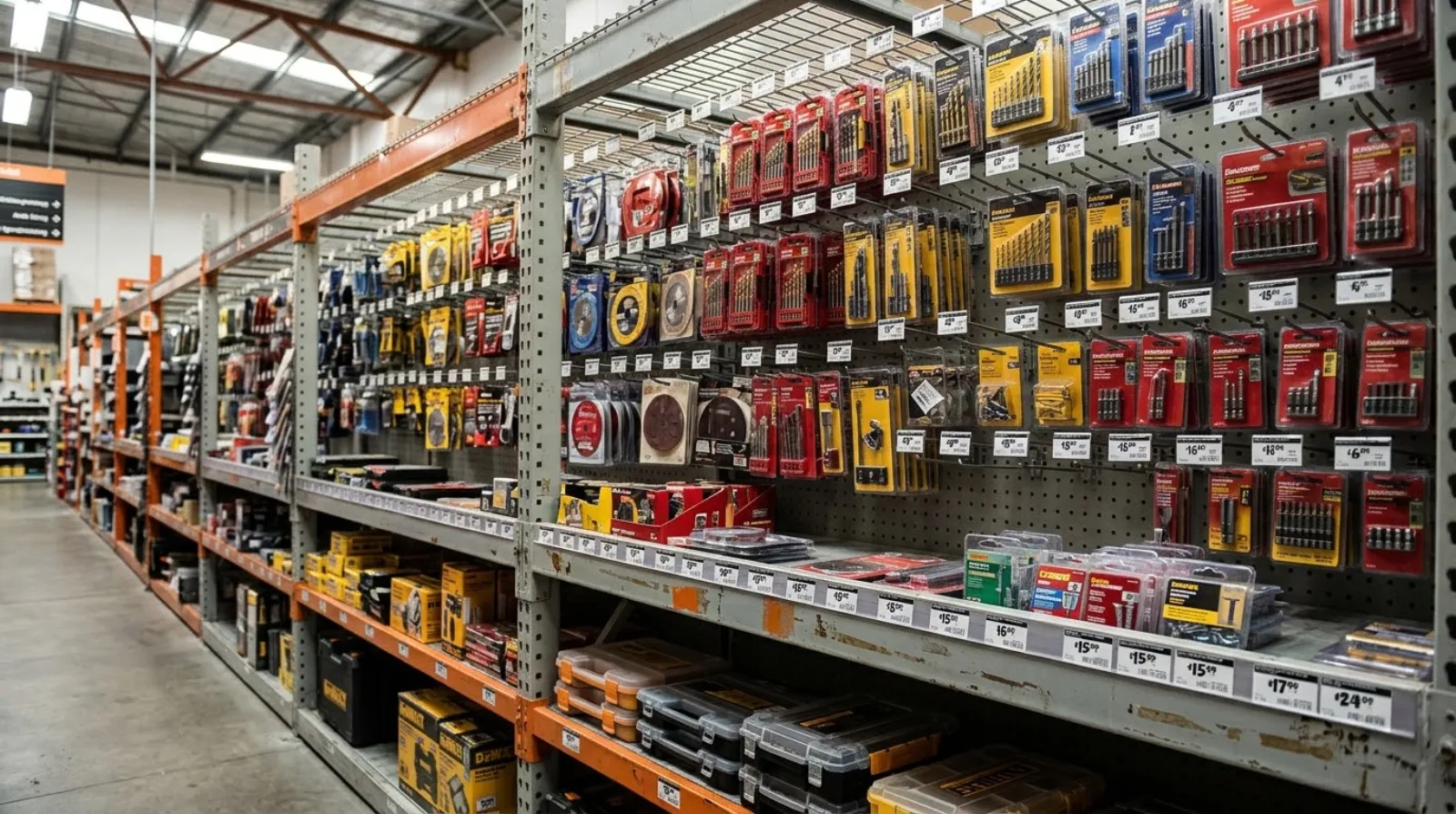
Standard MAP monitoring software checks public web pages, which leaves a major blind spot for hardlines, electrical, tool, and farm-supply brands selling through brick-and-mortar retail.
Big-box chains such as Home Depot and Lowe’s, along with regional farm and ranch dealers, do not publish one uniform national price for every physical store. As economic research on home-improvement retail shows, chains assign stores to regional pricing zones and adjust prices based on local market costs and competition. An online MAP tool that fetches a single national URL without pinning a specific store number or ZIP code sees only one default market view.
Even more important, physical store shelves diverge from ecommerce listings in three ways that online MAP tools cannot observe:
- In-store clearance and manager markdowns: Local stores mark down slow-moving or reset-bound SKUs on paper yellow tags without changing the national website price.
- Regional promo testing: A retailer may drop shelf prices across one district or state to match a regional competitor while keeping online advertised prices at MAP.
- In-store shelf tags versus checkout prices: Under U.S. antitrust rules rooted in United States v. Colgate & Co. (1919), MAP policies govern advertised prices rather than the final in-store transaction price at the register. Monitoring what a shopper sees on the physical aisle tag—or on a store-pinned pickup listing—requires store-by-store data rather than a generic web crawl.
If your brand needs to track how competitors are priced across specific stores or districts, pair online MAP tracking with competitor price monitoring for retail brands and review why shelf prices differ by store at Home Depot and Lowe’s.
Online MAP software versus store-level shelf reporting
Choosing between an online MAP tool and a store-level shelf report depends on where your margin leakage happens. Many $10M to $500M hardlines brands need one for online marketplaces and the other for physical retail accounts, rather than expecting one tool to do both.
| Decision factor | Online MAP monitoring software | Store-level stock and price report |
|---|---|---|
| Primary problem solved | Unauthorized marketplace sellers and online price erosion | Empty shelves, regional price variance, and store-by-store promo shifts |
| Retail channels covered | Amazon, Walmart Marketplace, eBay, Google Shopping, DTC dealers | Specific named stores at Tractor Supply, farm retail, Home Depot, and Lowe’s |
| Granularity | Product URL or marketplace ASIN by seller | Store number x SKU (stock status, quantity where shown, store price) |
| Pricing model | $129 to $659+ per month by URL/SKU count (FrigginYeah, Prisync) | Fixed monthly tiers: $750 (Tier S, 20 stores) or $1,500 (Tier M, 30 stores); $750 Shelf Snapshot |
| Fix step included | Alerts and warning templates only | Weekly exceptions list, with optional field visits via our rep team |
When online dealers undercut your advertised floor on marketplaces, MAP software gives your sales team daily evidence and seller names. When a regional buyer drops your shelf price in the Southeast or 18 stores go out of stock before a seasonal reset, online MAP software will stay quiet because the national listing still looks fine. In that case, a weekly store-level stock and price report or a one-time Shelf Snapshot gives your national account manager the exact store numbers and shelf prices needed to act.
Questions to ask MAP software vendors during a demo
Vendor demos often focus on clean dashboards while hiding workflow limits that show up in month two. Ask six specific operational questions before picking a platform:
| Demo question | Why it matters | What to verify |
|---|---|---|
| How do you handle bundles, multipacks, and clipped coupons? | Resellers often disguise below-MAP pricing inside two-packs or “add to cart” promo codes | Per-unit division on multipacks and cart-level promo checks |
| Can we schedule MAP holidays by SKU and date? | Planned events like Black Friday or seasonal rebates will flood your inbox with false violations otherwise | Date-bound holiday rules by product group or channel |
| Is seller identification and Buy Box history included? | A low marketplace price without the storefront ID leaves you guessing which distributor leaked stock | Merchant name, storefront ID, and Buy Box ownership log |
| Are screenshots included or billed as an add-on? | Dealers frequently restore MAP before an account manager checks the link | Timestamped visual capture stored per violation (for example, Price2Spy bills Screenshot Capture separately) |
| How are SKU matches built and maintained? | Automated matching misses kits or private-label variations and creates false alerts | Exact UPC/MPN/ASIN matching rules and setup fees for manual matching |
| What triggers an extra monthly fee? | API exports, extra user seats, and protected-site bandwidth can raise your bill | Published rates for API access (such as Prisync’s 20% API surcharge) and traffic add-ons |
For a full look at how these add-ons affect annual software spend, see our breakdown of online MAP vs. store-level data and price monitoring software pricing.
How brands enforce MAP legally without violating antitrust rules
MAP monitoring software documents violations and formats notices, but legal compliance depends on how your brand enforces its policy. In the United States, vertical pricing policies rest on two Supreme Court standards:
- Unilateral action under Colgate (1919): Under United States v. Colgate & Co., a manufacturer may announce a unilateral pricing policy in advance and independently stop supplying resellers that fail to follow it, as long as there is no agreement or negotiation over resale prices.
- Rule of Reason under Leegin (2007): In Leegin Creative Leather Products, Inc. v. PSKS, Inc., the Supreme Court overruled the longstanding per se ban on minimum resale price agreements under Section 1 of the Sherman Act, holding that vertical minimum price restraints are evaluated under the Rule of Reason. Even so, agreements still carry greater legal and state-level antitrust risk than a strictly unilateral policy.
Because of that distinction, software platforms typically support a structured, unilateral multi-strike escalation workflow rather than back-and-forth price negotiation. For example, FrigginYeah’s MAP workflow pairs automated detection with a tiered notice sequence—Strike 1 digital warning, Strike 2 escalation, Strike 3, and a physical cease-and-desist letter via USPS certified mail—while tagging authorized dealers separately from unauthorized third-party sellers. Always have antitrust counsel review your written policy before automating notice emails.
Who online MAP software is not built for (and what happens in week one)
Online MAP monitoring software is a poor fit if you sell strictly through brick-and-mortar hardware, electrical, or farm retail accounts with tightly controlled dealer rosters and zero third-party marketplace leakage. In those channels, your commercial pain is rarely an anonymous marketplace seller cutting price by 15% at midnight—it is regional store-to-store price differences, unworked backroom stock, and empty shelves in specific districts.
If your team needs physical store visibility rather than marketplace policing, you do not need to install an ecommerce crawler. With a Shelf Snapshot ($750 one-time for one retailer, up to 20 stores and 300 SKUs), week one stays simple:
- You complete a 10-minute intake form: Send your list of target store numbers, your SKU list, and who should receive the deliverable.
- We pin each store and run the pull: Our analyst validates and deduplicates your store and SKU lists and collects only publicly displayed product, shelf-price, and pickup-availability fields for those named stores (see how we collect store-level data).
- You get the workbook and brief in 5 business days: You receive a dated Excel workbook (Store x SKU grid, Price Variance tab, and Run Log), a 1-page findings brief highlighting top out-of-stock stores and price gaps, and a 30-minute walkthrough. If you move to a weekly store-level stock and price report ($750/month Tier S or $1,500/month Tier M) within 30 days, the $750 Snapshot fee is credited toward your one-time setup. You can inspect a synthetic layout on our sample store-level report page.
How to choose the right setup for your channel mix
Start by mapping where your revenue and pricing complaints actually come from before paying for enterprise MAP suites.
- Audit your online versus brick-and-mortar exposure: If 70% of your pricing complaints come from Amazon third-party sellers or online tool dealers, start with a focused online MAP plan that includes seller attribution and screenshot evidence.
- Test store-level variance before buying an enterprise suite: Enterprise digital shelf platforms often bundle store-level add-ons into custom annual contracts designed for $500M+ CPG teams. Mid-market brands selling 20 to 800 SKUs into big-box or farm retail can validate store-level price and stock gaps first with a single Shelf Snapshot ($750 one-time for one retailer, up to 20 stores and 300 SKUs, credited toward weekly setup within 30 days).
- Verify your MAP policy covers the channels you monitor: Software only detects variances against rules you have written down and communicated unilaterally. Confirm with legal counsel that your policy clearly defines covered advertising channels, violation steps, and non-negotiable unilateral enforcement before sending your first automated notice.
| Capability | Online MAP software | Store-level stock and price reports |
|---|---|---|
| Public ecommerce and marketplace listings | Tracked daily or multiple times daily | Not the focus (built for brick-and-mortar) |
| Third-party marketplace seller identification | Yes, flags Buy Box and 3P sellers | No |
| Timestamped listing screenshots | Usually included or paid add-on | Workbook run log and dated pull records |
| ZIP-pinned big-box store shelf prices | Rarely supported; defaults to national web price | Yes, pinned to each named store on your list |
| In-store pickup availability by store | Limited or absent | Yes, captured per SKU per named store |
Frequently asked questions
What is MAP monitoring software?
MAP monitoring software is an automated compliance tool that checks publicly displayed prices on ecommerce websites, online marketplaces, and comparison shopping engines against a brand's Minimum Advertised Price thresholds. When a listing drops below MAP, the software logs the seller name, captures a timestamped screenshot, and sends an alert so the brand can document the violation and send a warning notice.
What is the difference between MAP monitoring and competitor price monitoring?
MAP monitoring focuses on enforcing your own brand's advertised price floor across authorized dealers and unauthorized third-party sellers. Competitor price monitoring tracks what rival brands charge across shared retail channels so your commercial team can adjust wholesale positioning or promotional calendars. Many software vendors bundle both capabilities, though MAP plans add seller-identity tracking and automated violation escalation workflows.
Why do online MAP monitoring tools miss big-box store prices?
Online MAP tools typically crawl national ecommerce URLs or marketplace feeds without pinning a specific physical store ID or ZIP code. Big-box chains like Home Depot and Lowe's use regional pricing zones where an item's shelf price in one metro differs from another, and physical store tags do not always match national website prices. Without store-pinned checks, regional discounting goes unseen.
Can MAP software enforce violations automatically?
Software cannot legally force a retailer to raise its price or cut off supply on its own. Instead, MAP platforms automate detection, screenshot capture, and email or letter alerts to non-compliant dealers. Under U.S. antitrust rules, a brand must enforce its unilateral policy independently—such as withholding co-op funds or pausing shipments—rather than negotiating prices with resellers.
Do brands need MAP monitoring software if they only sell through big-box and farm retail?
If your SKUs appear on Amazon, Walmart Marketplace, or independent online dealers alongside Home Depot, Lowe's, or Tractor Supply, online MAP monitoring protects your advertised price floor from marketplace erosion. However, if your main challenge is tracking regional shelf-price shifts, clearance markdowns, or empty pegs across brick-and-mortar stores, a weekly store-level stock and price report solves that problem directly.
Sources
- Prisync Pricing & Plans (Compare Plans) (checked )
- Price2Spy Pricing Tiers (checked )
- Price2Spy Capturing Screenshots Module (checked )
- Priceva Minimum Advertised Price Monitoring Software (checked )
- FrigginYeah MAP Violation Monitoring & Pricing (checked )
- FrigginYeah MAP Violation Monitoring & Enforcement (checked )
- United States v. Colgate & Co., 250 U.S. 300 (1919) — Legal Information Institute (checked )
- Leegin Creative Leather Products, Inc. v. PSKS, Inc., 551 U.S. 877 (2007) — Legal Information Institute (checked )