How to run a store comp shop (competitive shop) at big-box
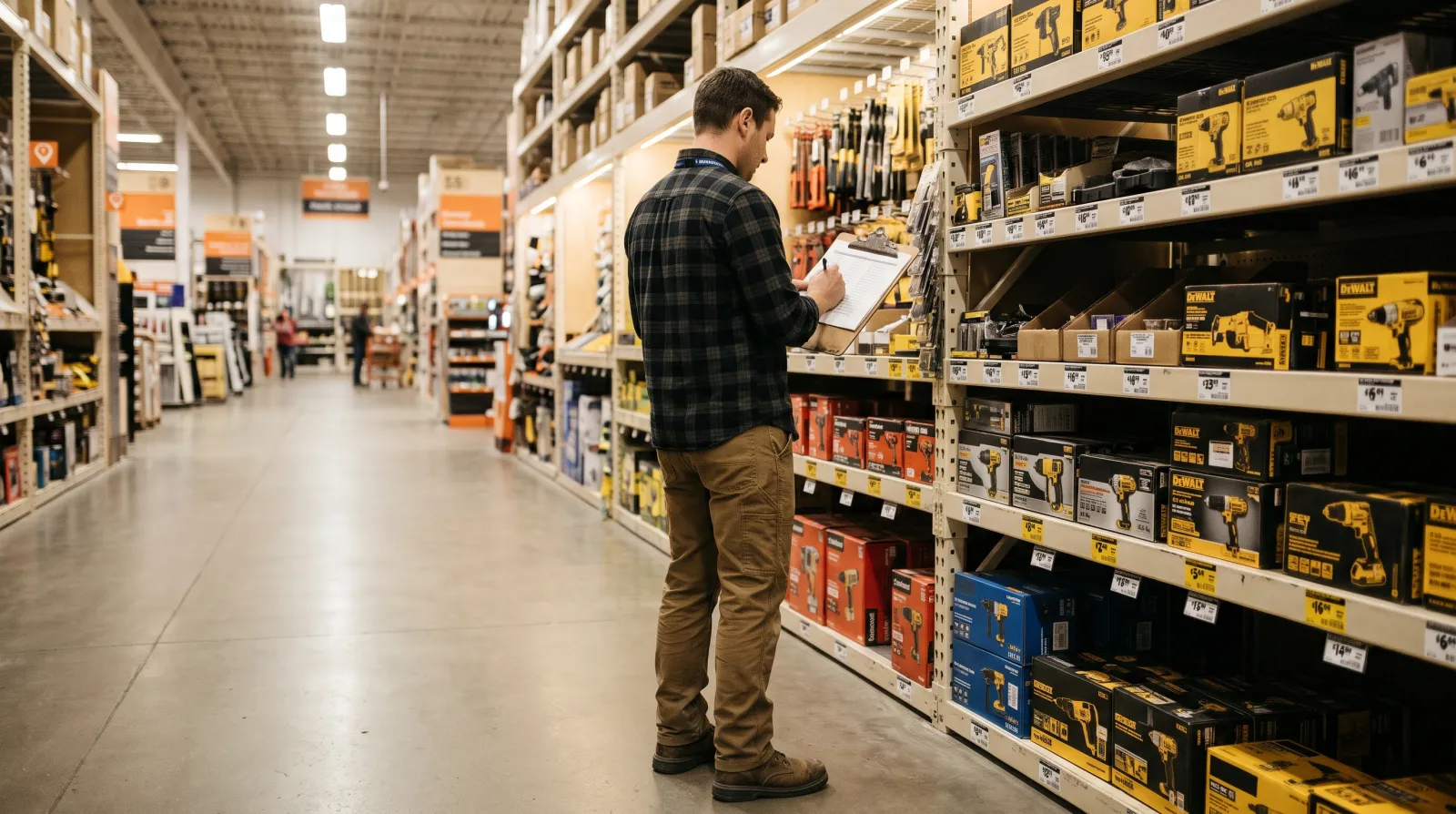
A store comp shop (competitive shop) is a structured physical audit of retail store aisles to record competitor pricing, shelf placement, stock availability, facings, and promotional signage. To run one at a big-box chain, select representative stores across pricing zones, lock a tight SKU list, capture consistent aisle photos and tag prices using a standardized spot-check sheet, and automate weekly stock and price tracking so field reps focus on visual context.
Key facts
- According to IHL Group's August 2025 Closing the Execution Gap study, 78% of retailers experience inventory inaccuracies weekly or monthly, making physical shelf verification critical alongside system reports. Source: ihlservices.com
- Repsly highlights that modern competitive audits combine standardized mobile forms, offline store capture, and shelf photos to eliminate manual counting errors across store visits. Source: repsly.com
- FrigginYeah notes that weekly automated store-level big-box comp shops pull up to 50 fields per SKU—including shelf price, bulk-break pricing, promo flags, and pickup counts—across a brand's named store list. Source: frigginyeah.com
On this page
What a store comp shop accomplishes
A store comp shop (competitive shop) is a structured audit inside physical retail stores to benchmark your brand’s shelf price, stock availability, facings, and promotional presence against competing SKUs in the same bay. Within a store-level shelf intelligence workflow, comp shops bridge the gap between headquarters spreadsheets and what contractors or homeowners actually see when they walk down the aisle.
Brands run comp shops before quarterly pricing decisions, new product launches, and annual line reviews. When done well, a comp shop answers four practical questions:
- Are our items physically on the peg, or trapped in overhead top-stock while a competitor gets the sale?
- How does our everyday shelf price and bulk-break pricing compare against the category’s anchor brand in each region?
- Who holds eye-level placement, endcaps, and clip-strip cross-merchandising?
- Did a regional promo tag or clearance markdown appear in one district without headquarters knowing?
How to plan a big-box comp shop before entering a store
Sending field reps into random stores without a tight list wastes hours in the aisle and produces messy notes nobody reads. Follow four preparation steps before anyone drives to a store.
1. Pick stores across pricing zones and store volumes
Big-box chains like Home Depot and Lowe’s do not price identically across all stores; they group locations into regional pricing zones. Checking three stores in the same metro suburb only measures one price zone. Pick a representative sample across at least two to three regions—mixing high-volume urban stores, competitive suburban corridors where rival chains sit across the street, and smaller rural stores.
2. Lock a focused SKU list (yours plus direct rivals)
A rep checking 400 SKUs in one aisle by hand will rush or skip items. Limit a manual aisle comp shop to 15 to 40 core items: your top revenue drivers, any newly launched SKUs, and the exact competing models sitting directly beside them on the planogram.
3. Build a standardized spot-check sheet
Never send reps into a store with a blank notebook. Every rep needs the exact same columns—SKU or model number, on-shelf yes/no, facing count, everyday shelf price, promo price, tag/signage OK, quantity seen, and photo taken. You can build a printable or Excel sheet with Yes/No validation in seconds using our free Store Spot-Check Sheet Generator (it runs entirely in your browser and never contacts any retailer).
4. Standardize photo framing rules
Tell reps in advance to take photos in a consistent order: wide bay shot first (to establish context and shelf height), then close-up tag shots, then display or exception shots. If you manage a larger field agency team, you can also structure visit forms using our Store Visit Report Builder.
What to check in the aisle (the 6-point comp shop checklist)
Once inside the category bay, train reps to work top-to-bottom and left-to-right across the fixture using six checks:
| Check area | What to record | Why it matters |
|---|---|---|
| 1. Shelf presence & outs | Empty pegs, “temporarily out” tags, or wrong product plugged into your facing | Distinguishes true demand from blocked replenishment |
| 2. Shelf height & facings | Number of horizontal facings; eye-level vs. top/bottom shelf | Eye-level facings drive disproportionate turn |
| 3. Everyday vs. promo price | Regular white tag price, yellow/red promo price, bulk-break/pro-pack pricing | Exposes regional discounts and competitor price gaps |
| 4. Signage & POP quality | Missing shelf talkers, crooked tags, outdated promo end dates | Ensures funded trade promos are actually hung |
| 5. Off-shelf features | Endcaps, wing stacks, power-aisle pallets, checkout queue placements | Shows which competitor bought incremental floor space |
| 6. Competitor changes | New SKUs, updated packaging claims, private-label knockoffs | Early warning before the next category reset |
Keep visits efficient and respectful of store operations. Do not block aisles with carts, never open sealed overhead boxes without store associate approval, and keep phone photography discreet and focused solely on shelf sets.
How to handle non-UPC items, bulk-break tags, and store brands
Standard barcode-only checklists break down inside home improvement and farm stores because many high-volume hardlines do not scan cleanly by a single consumer UPC. When auditing these aisles, build four special checks into your sheet:
- Non-UPC commodity and dimensional SKUs: Items such as lumber, fencing, millwork, and bulk electrical fittings lack standard retail packaging barcodes and are easy to misidentify across chains (as FrigginYeah’s Home Depot intelligence overview notes, manual comp shops often skip non-UPC categories for this reason). Record the store SKU or model number printed directly on the bin tag alongside exact length, gauge, or pack dimensions.
- Bulk-break and contractor volume tags: Big-box aisles frequently show two prices on one tag—a single-unit shelf price and a lower contractor price when buying 10+ or a full case. Record both numbers in separate columns so your pricing analyst does not mistake a volume discount for a retail price drop.
- Retailer private-label equivalents: Capture the store brand sitting immediately adjacent to your core SKUs so your category team can see the exact dollar and percentage spread between national and private-label options.
- Temporary out-of-stock tags versus planogram voids: Note whether an empty facing has an active bin tag or a “temporarily out” notice rather than an empty, re-merchandised hook—that separates a replenishment leak from a lost planogram placement.
What does a manual big-box store comp shop cost in rep time?
Before assigning an internal coordinator or regional rep to drive a multi-store comp shop, calculate the loaded hours required to collect and clean the data. Consider a hypothetical example of checking 30 SKUs across 15 big-box stores spread over three regional pricing zones:
| Comp shop step | Illustrative time per store | Total across 15 stores |
|---|---|---|
| Drive time between stores and parking | 45 minutes | 11.25 hours |
| In-aisle count, tag check, and photo framing | 45 minutes | 11.25 hours |
| Photo renaming and Excel spreadsheet cleanup | 20 minutes | 5.0 hours |
| Total field and admin hours | 1 hour 50 minutes/store | 27.5 hours |
At a conservative blended rep or coordinator rate of $35 to $55 per hour (plus mileage), one 15-store manual comp shop costs well over $1,000 to $1,500 in labor and travel—and only produces a single point-in-time snapshot. Repeating that same 15-store manual walk every week is rarely realistic for a $10M to $500M brand.
Where manual comp shops break down
Doing comp shops exclusively by hand works for a one-time pre-meeting gut check across five local stores, but it collapses when brands try to scale it across territories:
- High cost per store: Paying a field rep or coordinator to drive, walk the aisle, type prices into Excel, and rename photos adds significant travel, labor, and cleanup cost per store visit.
- Instant staleness: A two-week manual comp shop across 20 stores is already out of date by the time a sales analyst cleans the spreadsheet.
- Missed regional pricing shifts: If you only audit 10 stores once a quarter, you miss mid-quarter price drops or stockouts across the other 90% of your footprint. As IHL Group’s August 2025 research notes, 78% of retailers encounter inventory inaccuracies weekly or monthly.
Five comp shop mistakes that skew your findings
Avoid five errors that regularly make field audit decks unusable in buyer meetings:
- Checking only hometown stores: Visiting five stores in one metro area samples a single pricing zone and misses how competitors price in distant districts.
- Overloading the aisle sheet: Handing a rep 200 SKUs per store leads to rushed estimates and skipped tags after the first 30 minutes.
- Mixing online default prices with physical shelf tags: Never fill in missed aisle rows from a corporate browser session pinned to headquarters’ ZIP code.
- Taking tight close-ups without bay context: A zoomed-in tag photo proves price, but without a wide bay shot nobody can tell whether your SKU sat at eye level or on the bottom shelf.
- Letting findings sit unreviewed: Waiting two weeks to summarize photos means empty pegs stay empty while competitor promos finish their run.
What to automate vs. what to keep in the field
Smart teams split comp shopping into two layers—automating repetitive price and stock checks while keeping human reps focused on visual merchandising and problem solving.
- Automate weekly stock and price tracking across your store list: Instead of paying a rep to type 200 shelf prices into a spreadsheet every Monday, use a weekly store-level stock and price report ($750/month for up to 20 stores and 300 SKUs; $1,500/month for up to 30 stores and 800 SKUs) or start with a $750 Shelf Snapshot across 20 stores. In week one, you send your store list and SKU list via a 10-minute form, and within 5 business days you receive a dated workbook (Store x SKU grid, Price Variance, and Run Log) plus a 1-page findings brief and 30-minute walkthrough. You can inspect a synthetic layout on our sample store-level report page.
- Reserve field visits for visual context and fixes: Use your weekly Exceptions tab to send field reps—or our own field team via the Shelf-to-Shelf program ($3,500 to $6,000 per month depending on stores and visits)—only to stores where stock suddenly dropped or shelf prices diverged, or when you need eye-level facing counts, endcap photos, and new competitor packaging reviews.
What to do with comp shop findings after the store walk
Split every completed comp shop into two distinct action tracks within 48 hours so field work turns into recovered revenue rather than a forgotten folder of photos:
- Store-level fix queue: Route immediate execution issues—trapped top-stock, missing price tags, damaged display cartons, and zero-stock pegs—to your field merchandisers or territory reps with the store number and photo attached.
- Headquarters commercial deck: Move regional price gaps, private-label spreads, and competitor endcap gains into your pricing waterfall and retailer line review checklist so national account managers walk into buyer meetings with dated store evidence.
To quantify what empty pegs cost between visits, read the true cost of an out-of-stock for a brand, see why shelf prices differ by store at Home Depot and Lowe’s, or compare all five approaches in retail shelf monitoring methods.
Frequently asked questions
What does comp shop mean in retail?
In retail and brand merchandising, a comp shop (short for competitive shop) is an organized store visit or data pull that measures how your products compare against competing brands inside real store aisles. Teams check shelf prices, promo tags, endcap displays, facing counts, packaging claims, and out-of-stocks to guide pricing and line-review strategy.
How many stores should you include in a big-box comp shop?
For a manual field comp shop, sample at least two to three stores per geographic pricing zone or district—typically 6 to 15 stores total—covering high-volume urban stores and smaller rural locations. If you automate weekly price and stock checks across stores, you can expand coverage to 30 or 100 stores without adding field travel hours.
What should a rep photograph during a store comp shop?
Capture four standard views in every aisle: a wide four-foot or eight-foot bay shot showing your brand next to key competitors, close-ups of shelf-edge price tags and bulk-break or promo signs, any endcap or off-shelf feature displays, and empty pegs or damaged packaging. Clear, framed photos prevent disputes when presenting findings to buyers.
Are you allowed to take photos during a store comp shop?
Store policies vary by chain and individual store manager. In general, reps should act discreetly, keep aisles clear for shoppers, never open closed boxes or disturb store operations, and stop photographing immediately if store personnel ask them to stop. For vendor-authorized audits, carry appropriate brand credentials or work through the store's scheduled visit process.
Which parts of a comp shop can be automated instead of checked by hand?
Manual rep visits should focus on what only eyes in the aisle can see: facing counts, eye-level placement, endcap displays, top-stock pallets, and competitor packaging changes. Routine weekly checks of shelf prices, regional price variance, promo badges, and pickup stock status across 10 to 100 stores can be replaced by a weekly store-level stock and price report.
Sources
- Repsly In-Store Retail Execution & Competitive Audit Capabilities (checked )
- Repsly — The Real Cost of Poor Retail Execution (checked )
- IHL Group Retail Research Statistics 2026 (Inventory Distortion Study) (checked )
- FrigginYeah — Comp Shop, Automated Retail Shelf Intelligence (checked )
- FrigginYeah — Home Depot Shelf Intelligence (checked )